OpenClaw: An Open-Source AI Agent Framework

One of the most talked-about projects in the AI developer community recently is OpenClaw. Multiple technology publications reported on its rapid growth, describing it as the fastest-growing AI agent project on GitHub (the open-source project platform) by number of stars.
OpenClaw is an open-source AI agent framework. Rather than a simple chatbot that only has conversations, it connects to external tools and executes multiple tasks sequentially. For example, you can use OpenClaw to build an AI agent that detects a customer inquiry on Slack, has the AI assess its priority, searches for and summarizes relevant documents in Notion, and then sends a reply back to Slack.
As the AI trend has shifted from "generating answers" to "taking action," the importance of AI agent frameworks like this has grown significantly.
What Problem Does OpenClaw Solve?
Building an AI agent from scratch is more complex than it sounds. You need to consider model selection, prompt design, tool connections, OAuth authentication, permission control, and differences in each channel's API. A demo can be put together quickly, but when it comes time to operate in production, structural limitations surface.
OpenClaw lowers the barrier to entry for AI agent development by making it easy to design agents and connect them to external services like Telegram, Slack, and Notion. It also provides a structure for separating permissions and functionality by channel, resolving the security and management issues that arise at the operational stage.
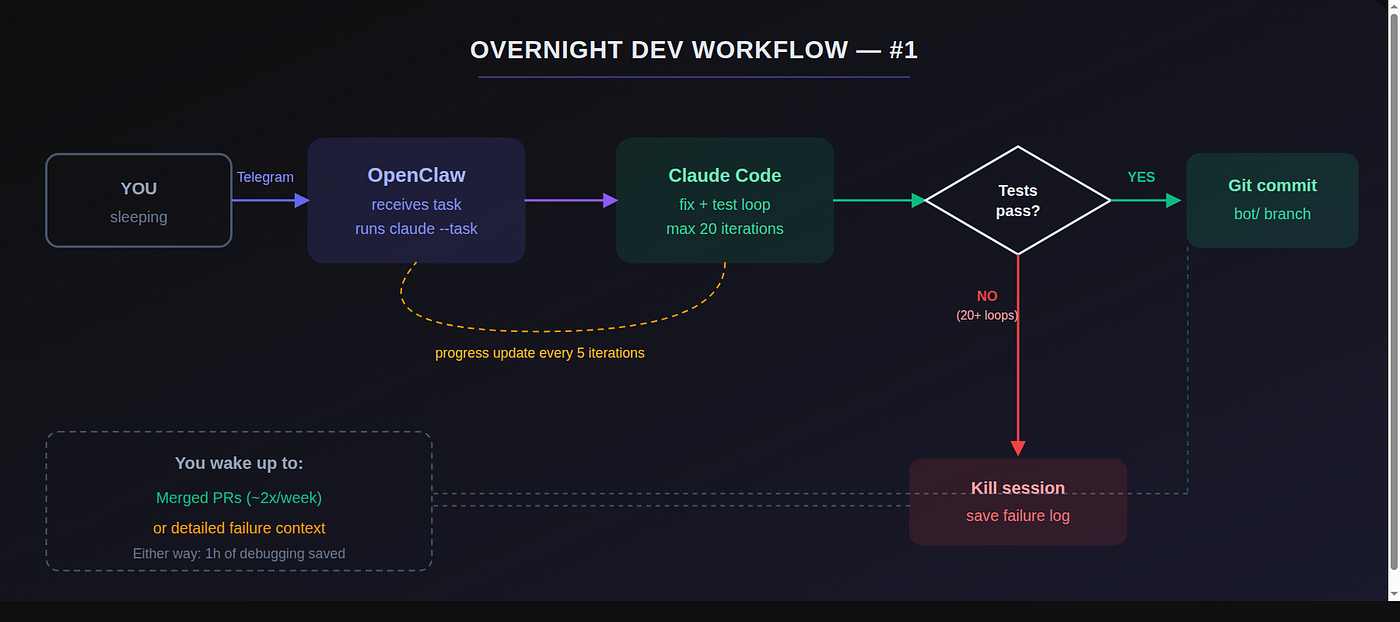
Features of OpenClaw
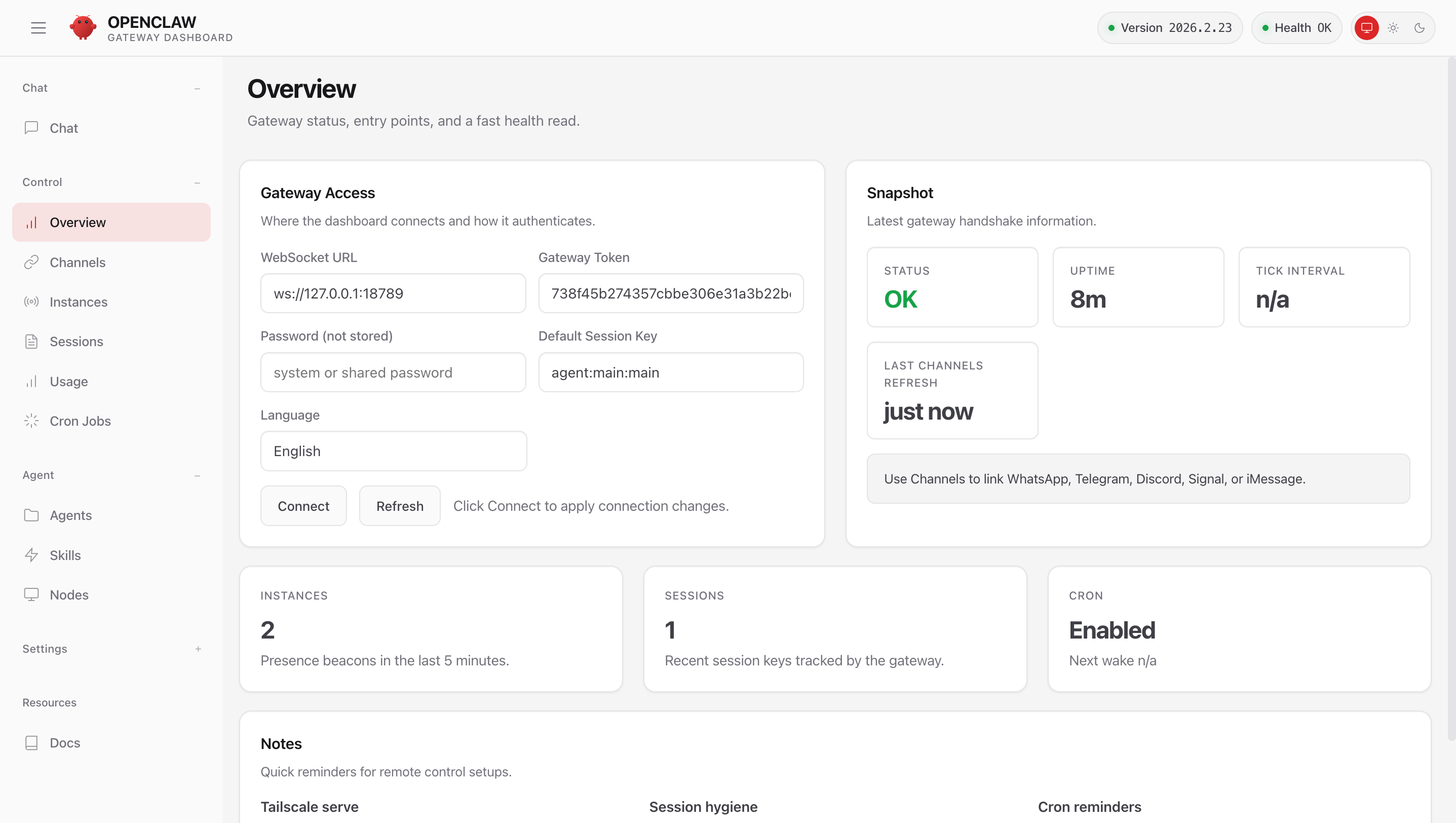
OpenClaw dashboard
1) Channel-First Design
In OpenClaw, a "channel" is the touchpoint through which users interact with the agent, the space where messages are exchanged between the AI agent and users.
Instead of building a separate AI-specific app, OpenClaw is designed so that the agent operates inside channels already in use. This means users can interact with the AI agent through familiar tools like Slack, Telegram, and Notion without adapting to a new UI.
Examples of connectable channels:
- Messaging: Slack, Telegram, Discord, Microsoft Teams
- Collaboration tools: Notion comments, Jira issues, GitHub PR reviews
- Web interfaces: SaaS dashboards, customer portals, internal intranets
- System events: CRM events, order notifications, server monitoring webhooks
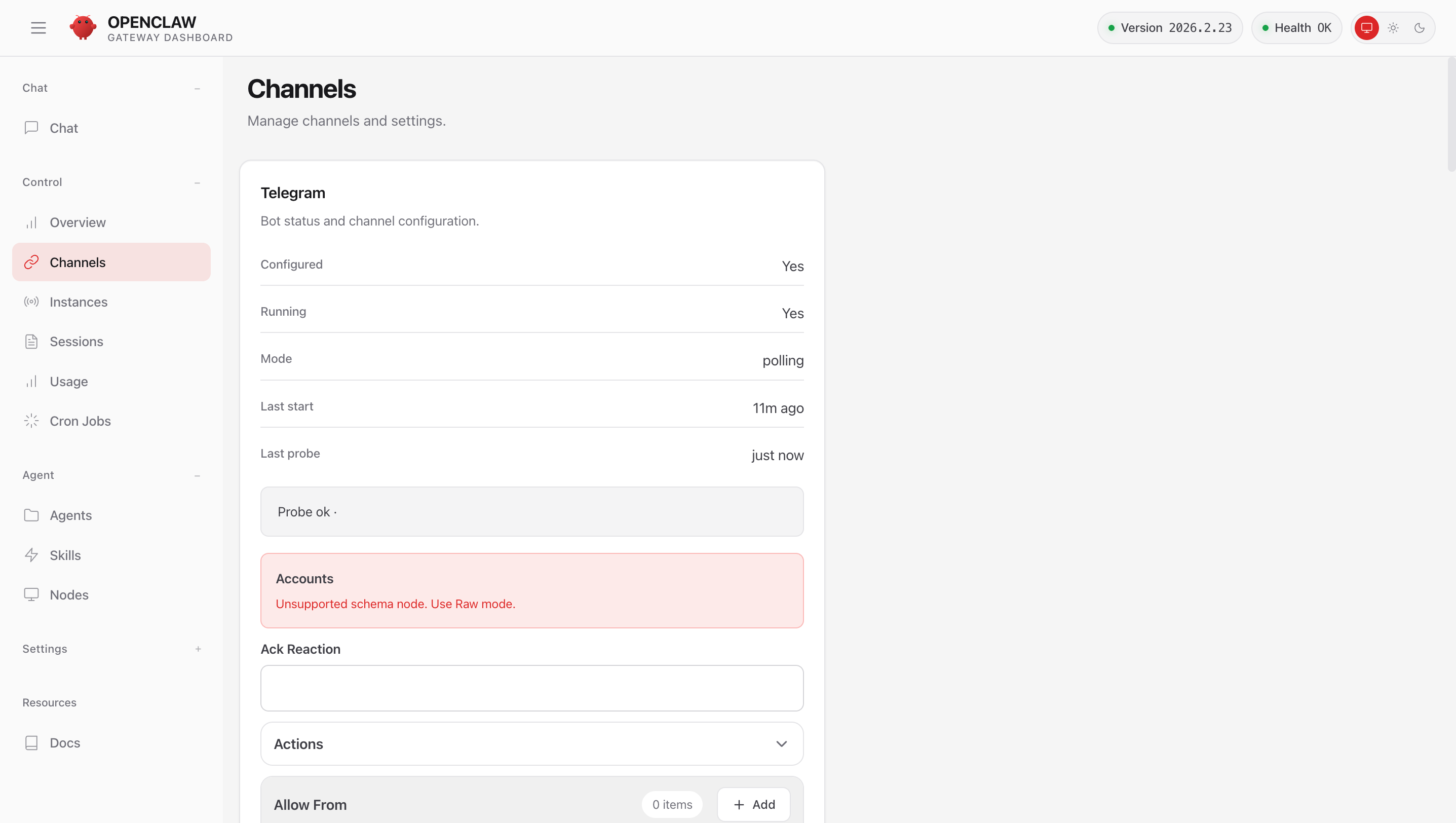
OpenClaw Telegram channel integration
Permissions and functionality can also be separated by channel. For example, you can configure the internal Slack channel to allow access to internal documents, while the external customer channel only allows read-only responses. In this way, the channel itself defines the boundary within which the AI agent operates.
2) Separated Execution Environments
Execution environments can be separated by channel, user group, and session. You can distinguish between internal employees and external users, or split test environments from production environments. Connecting a high-performance model to one channel and a cost-efficient model to another is also supported.
The key is the ability to structurally control the agent's scope of access.
3) Compatibility with Multiple AI Models
OpenClaw is not locked to a specific model. It can connect to a variety of AI models including OpenAI's GPT and Anthropic's Claude. The OpenClaw framework handles agent design and control, while the AI model handles judgment and response generation.
Quick-Start Guide
OpenClaw is open-source, so anyone can install and use it. Run the following command in your computer's terminal to install it:
curl -fsSL https://openclaw.ai/install.sh | bash
The installation script may not work correctly in Windows PowerShell or CMD. Windows users are advised to install WSL (Windows Subsystem for Linux) first, then run the command above in the WSL terminal.
Once installation is complete, you can run an OpenClaw instance in a local or server environment. From there, access the default dashboard and proceed through the following steps:
- Register the API key for the AI model you want to use
- Create your first channel (e.g., Slack or Telegram)
- Run a simple test prompt
- Check the execution logs
Things you can do right after installation:
- Connect to Slack and build an "internal document summary bot"
- Connect to Telegram and create a bot that periodically delivers weather updates
- Connect a webhook and auto-generate a summary when an order event occurs
- Set up an internal agent accessible only from specific channels
For detailed instructions on installation and initial configuration, refer to the OpenClaw official documentation.
Security and Operational Risks
When scaling an agent architecture to production, there are security issues that must be addressed:
-
API key management: Model API keys and OAuth tokens for external services must be stored securely in the server environment and must never be exposed in external repositories.
-
Limiting permission scope: Minimize the range of data the agent can access. In particular, channels that access customer data or internal confidential documents should be isolated separately.
-
Prompt injection attacks: When connected to external channels, malicious users may intentionally send inputs designed to alter system instructions. Preventing this requires a system prompt protection structure and validation logic at the execution stage.
-
Logs and audit trails: It must be possible to track who executed what command and what data was accessed. This is essential for root-cause analysis in the event of an incident.
When using open-source projects, security configuration is entirely the operator's responsibility. In a self-hosting environment running on an internal server, basic security measures such as network access control and server firewall configuration must be in place without exception.
Want to learn more?
Join CodeFriends Plus membership or enroll in a course to start your journey.